ClipStash: A Privacy-First Clipboard Manager That Keeps Everything Local
March 17, 2026
ClipStash is a Chrome extension that automatically captures your clipboard history and keeps it accessible from the Side Panel. Search past copies, re-copy with one click, and organize with categories — all without your data leaving your device. Available now on the Chrome Web Store.
The Problem
Every day, we copy and paste dozens of text snippets — URLs, code fragments, addresses, email templates, and more. But the system clipboard only holds the last item you copied. The moment you copy something new, the previous content is gone.
Some clipboard managers solve this by syncing your data to the cloud, which raises privacy concerns — especially for sensitive content like passwords, API keys, or personal information. ClipStash takes a different approach: everything stays in your browser’s local storage, with zero network access for clipboard data.
How It Works
- Install ClipStash and it starts capturing your copies automatically
- Open the Side Panel to browse your clipboard history
- Search for any past clip, click to re-copy, or pin your most-used items
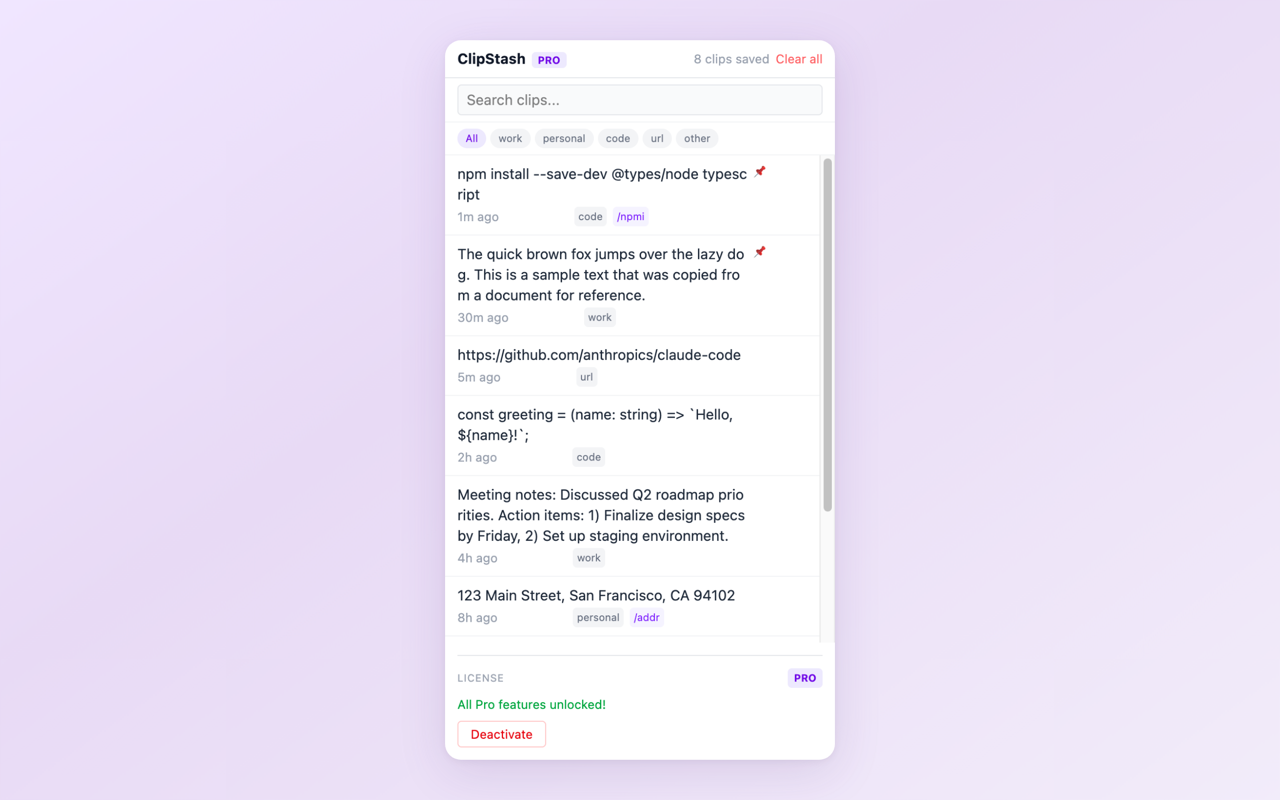
Clipboard history — every copy saved automatically with timestamps
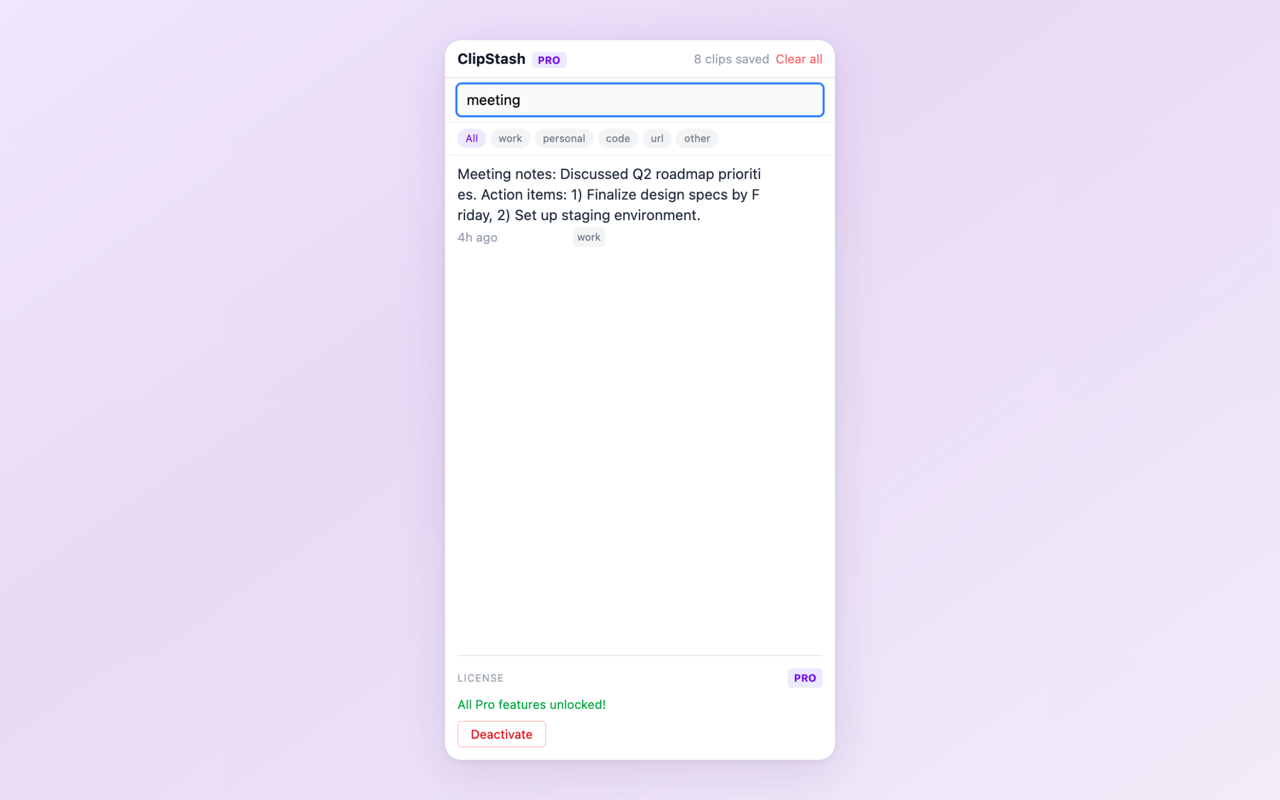
Instant search — find any past clip in seconds
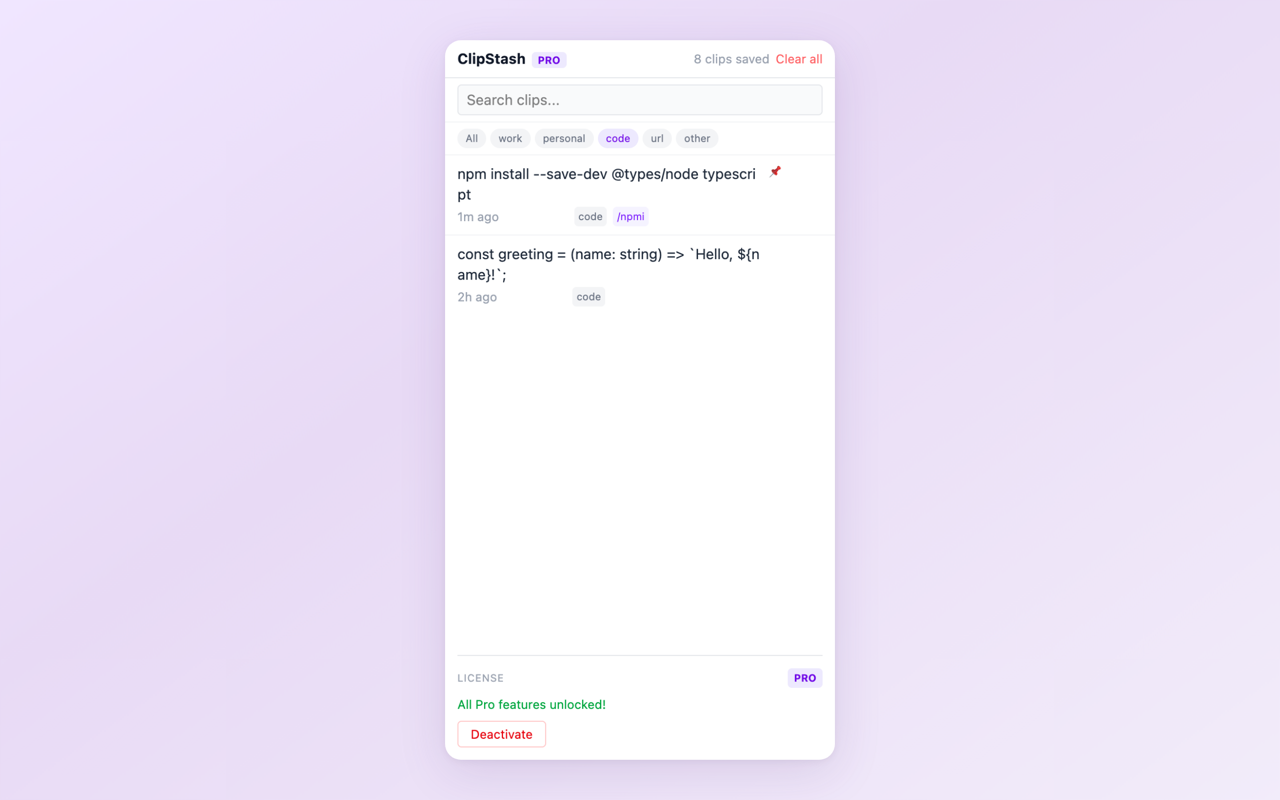
Categories — organize clips by Work, Personal, Code, URL, or custom labels (Pro)
Key Features
- Automatic capture — every copy is saved to your local history, no manual action needed
- Side Panel UI — access your history without leaving the current page
- Instant search — find any past clip by typing a few characters
- One-click re-copy — click any clip to copy it back to your clipboard
- Privacy-first — all data stored locally, no cloud sync, no tracking
Free vs Pro
The free tier keeps your last 25 clips with full search and re-copy functionality. Pro ($4.99, one-time purchase) unlocks unlimited history, pinned favorites, categories (Work, Personal, Code, URL, and custom labels), and text expansion snippets for frequently used phrases.
Install ClipStash from the Chrome Web Store and start building your clipboard history.
Feedback is welcome — leave a review on the Chrome Web Store page or reach out at [email protected].