AI Data Extractor: Pull Structured Data from Any Webpage in One Click
April 20, 2026
AI Data Extractor is a Chrome extension that detects structured data on any webpage — tables, lists, and repeating patterns — and exports it as CSV or JSON with one click. No coding, no copy-paste, no browser console. Available now on the Chrome Web Store.
The Problem
Web pages are full of useful data — product listings, pricing tables, directory entries, search results — but getting that data into a spreadsheet or database typically means manual copy-paste or writing custom scraping scripts. Both approaches are slow and fragile.
AI Data Extractor takes a different approach: it uses AI to detect the structure of data on the page automatically, so you can extract and export without writing a single line of code.
How It Works
- Navigate to any page with structured data
- Click “Extract Data” in the popup
- AI detects tables, lists, and repeating patterns automatically
- Preview the results and export as CSV or JSON
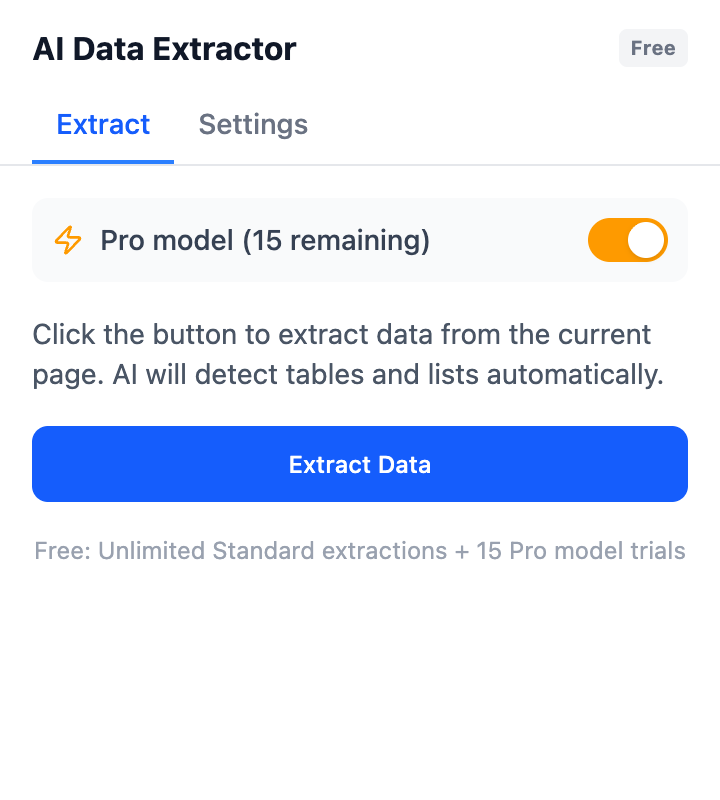
One-click extraction — choose Standard or Pro model
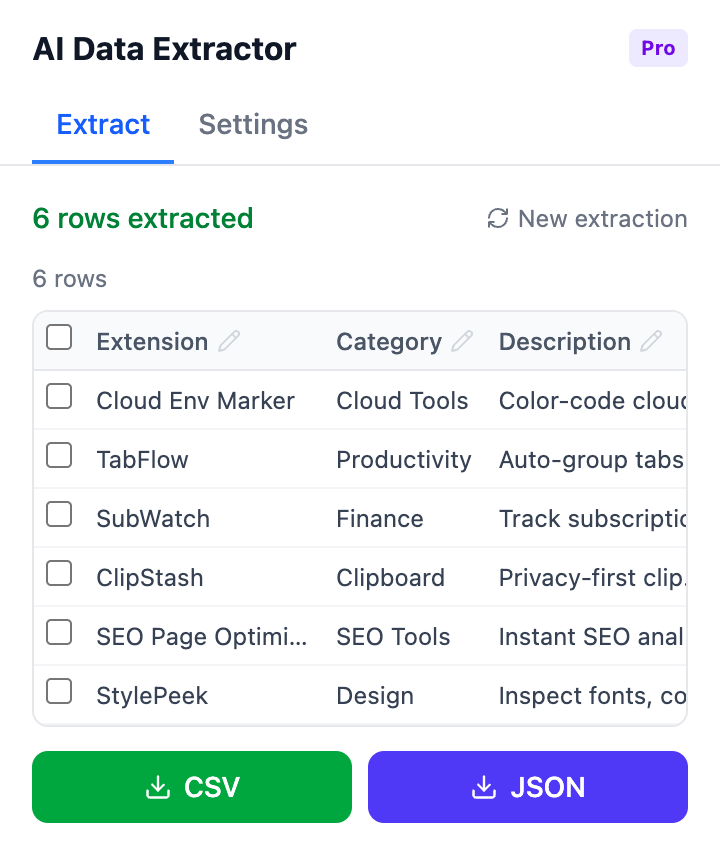
Results view — preview extracted data and export to CSV or JSON
Two Extraction Modes
- Standard — reliable extraction for everyday use, unlimited and free
- Pro model — fast, high-accuracy extraction powered by advanced AI
The free tier includes unlimited Standard extractions plus 15 free Pro model trials so you can experience the difference before deciding.
Key Features
- AI auto-detection — automatically finds tables, lists, and repeating patterns
- CSV and JSON export — one-click export in the format you need
- Two extraction modes — Standard (unlimited, free) and Pro (fast, high-accuracy)
- No coding required — works entirely from the popup UI
- Privacy-first — all Standard processing happens locally in your browser
Pricing
The free version gives you unlimited Standard extractions and 15 Pro model trials. Pro ($9.99/month) unlocks unlimited Pro model extractions with priority support. No confusing credit systems — just a simple flat rate.
Install AI Data Extractor from the Chrome Web Store and start extracting data in seconds.
Feedback is welcome — leave a review on the Chrome Web Store page or reach out at [email protected].