SEO Page Optimizer: One-Click SEO Analysis with Actionable Fix Suggestions
March 17, 2026
SEO Page Optimizer is a Chrome extension that analyzes any page's SEO health in one click and tells you exactly what to fix — with prioritized, actionable suggestions. No account required, no data sent to external servers. Available now on the Chrome Web Store.
The Problem
Checking a page’s SEO typically involves switching between multiple tools, pasting URLs into external services, and interpreting raw data. For quick checks — “does this page have proper meta tags?” or “are all images missing alt text?” — that workflow is slow.
SEO Page Optimizer brings the analysis directly into your browser. Click the icon on any page, and you get a score with specific issues ranked by severity (High, Medium, Low) and concrete suggestions for each one.
How It Works
- Navigate to any web page
- Click the SEO Page Optimizer icon in your toolbar
- Review your SEO score, issues sorted by severity, and fix suggestions
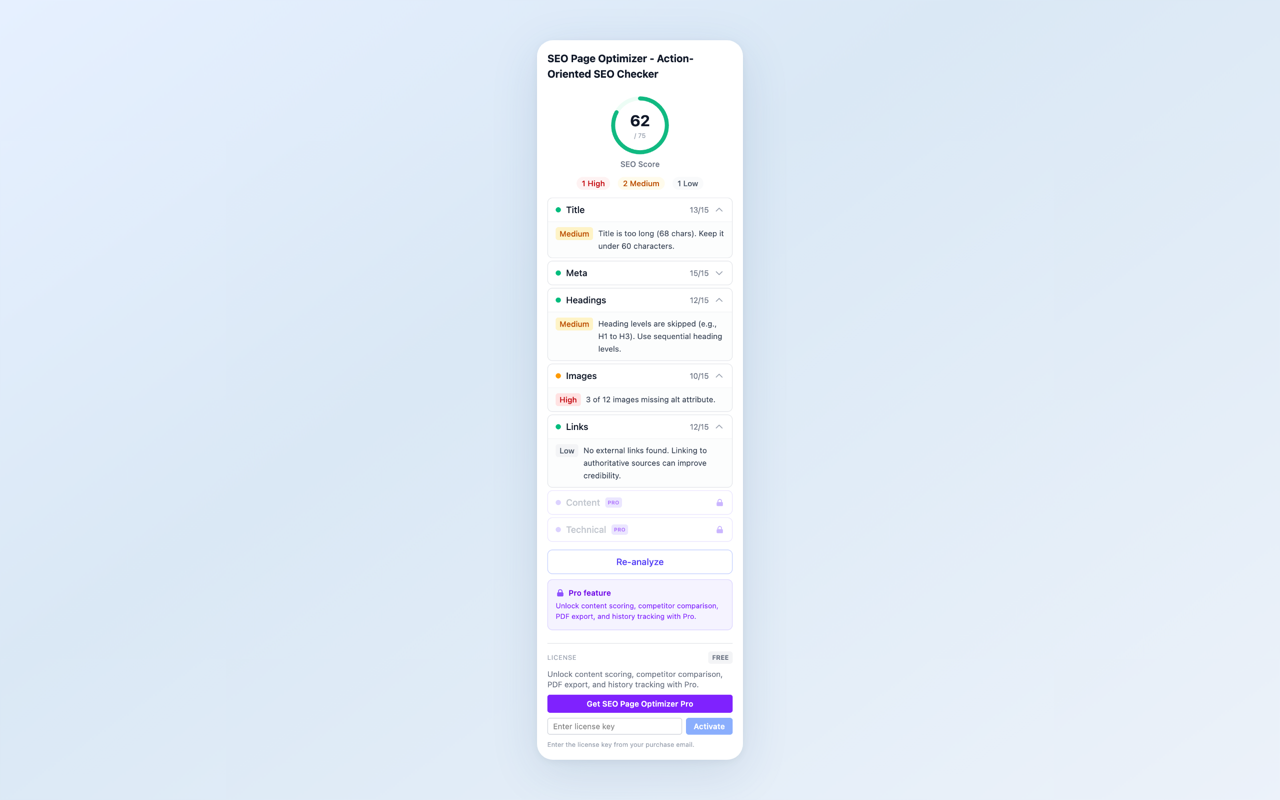
SEO analysis — score and prioritized issues at a glance
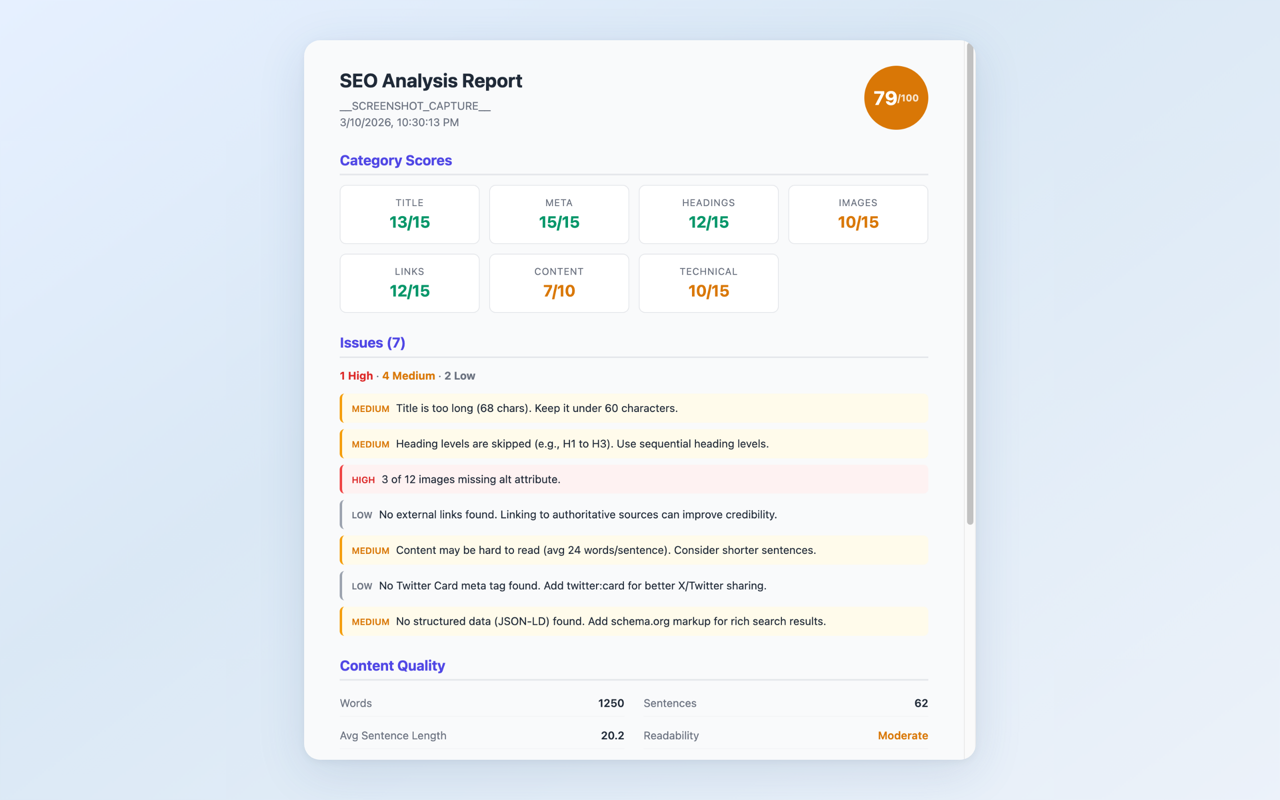
Detailed report — category breakdowns with actionable fix suggestions
What It Checks
- Title tag — presence, length, keyword placement
- Meta description — presence, length, uniqueness
- Heading structure — H1 count, hierarchy, keyword usage
- Image alt text — missing alt attributes, descriptive quality
- Internal & external links — count, broken link indicators
- SEO score — weighted score based on all checks, with severity indicators (High / Medium / Low)
Free vs Pro
The free tier covers title, meta description, heading structure, image alt text, and link analysis with a full SEO score. Pro ($4.99/month) adds content quality scoring, technical SEO checks, competitor page comparison, PDF export, and analysis history with trend tracking.
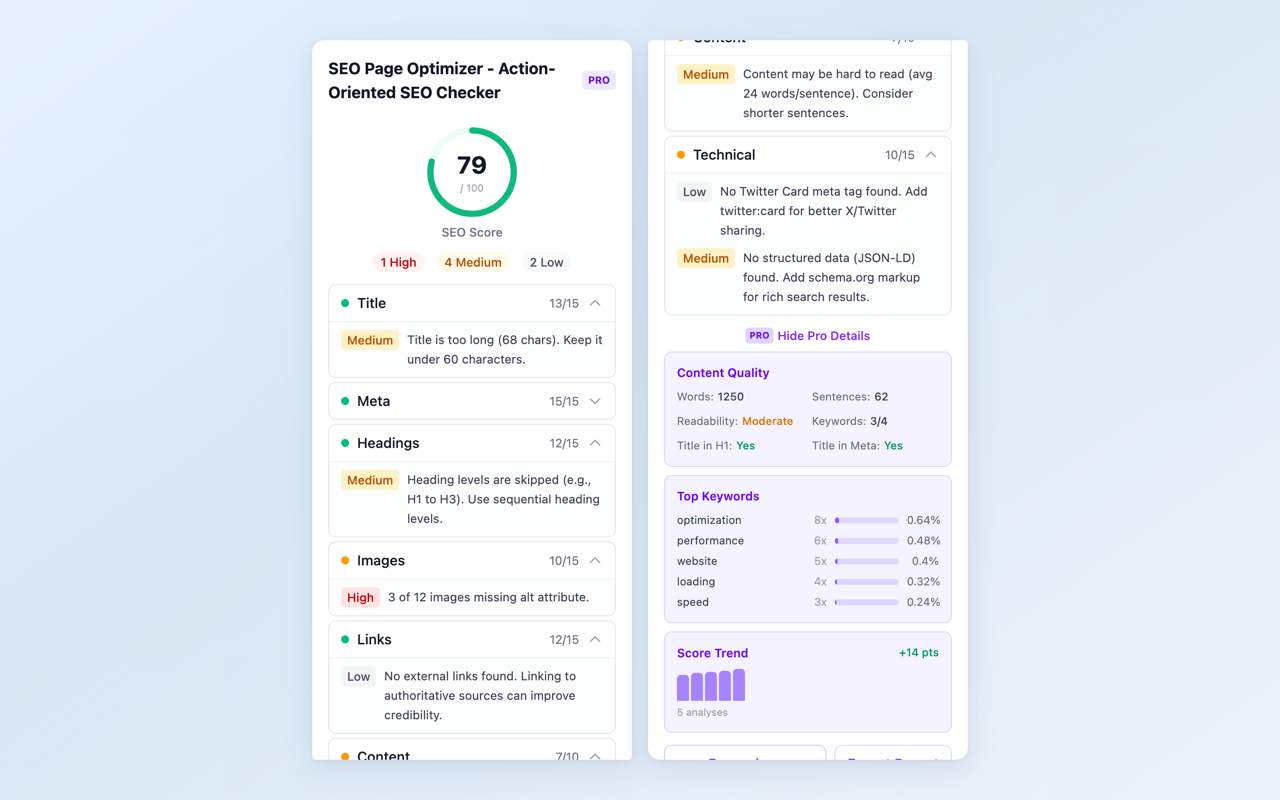
Pro features — competitor comparison, PDF export, and trend tracking
Install SEO Page Optimizer from the Chrome Web Store and check your first page in seconds.
Feedback is welcome — leave a review on the Chrome Web Store page or reach out at [email protected].