What Are Design Tokens? How to Extract and Reuse Any Website's Visual DNA
April 29, 2026
Every well-designed website has a hidden structure beneath its surface. The exact shade of blue in the buttons. The specific font size for headings. The consistent 24px padding between sections. These values are not random — they are deliberate design decisions. When those decisions are stored as named variables instead of raw numbers, they are called design tokens. Understanding them changes how you think about web design, even if you never write a line of code.
Design Tokens in Plain Language
A design token is a named value for a design decision. Instead of writing #1D4ED8 every time you use your brand blue, you give it a name like color-primary and reference that name everywhere. If the brand blue changes, you update one token, and every element using it updates automatically.
Think of it like naming paint colors. A hardware store does not label paint cans with hex codes. They use names like “Ocean Breeze” or “Midnight Blue.” Design tokens work the same way — they give human-readable names to visual values so teams can communicate clearly and change things in one place.
What Design Tokens Actually Store
Tokens cover every visual property you see on a website:
- Colors — Brand colors, background colors, text colors, border colors, status colors (success green, error red)
- Typography — Font families, font sizes, font weights, line heights, letter spacing
- Spacing — Margins, padding, gaps between elements (often based on a scale like 4px, 8px, 16px, 24px, 32px)
- Borders — Border widths, border radii (corner rounding), border colors
- Shadows — Box shadow values for depth and elevation
- Motion — Animation durations, easing curves, transition timing
These values are typically stored in a JSON file that both designers and developers can reference. The W3C Design Tokens Community Group is standardizing the format so tools across the industry can read and write the same token files.
Why Design Tokens Matter (Even If You Are Not Building a Design System)
You do not need to be building a design system at a large company for tokens to be useful. Here are three practical scenarios:
Matching an Existing Brand
You are building a landing page that needs to match your company’s existing website. Instead of eyeballing colors and guessing spacing, you extract the design tokens from the existing site. Now you have the exact values — not approximations.
Auditing Design Consistency
You notice that buttons on different pages of your site use slightly different shades of blue, or that heading sizes are inconsistent. Extracting tokens reveals every value actually in use, making inconsistencies visible at a glance.
Handing Off to a Developer
Instead of sending a designer’s PDF with annotated screenshots, you hand the developer a JSON file of tokens. The values are precise, machine-readable, and ready to use in code — no guessing, no measuring, no “is that 14px or 16px?”
How to Extract Design Tokens from Any Website
You do not need to build tokens from scratch. Several tools can reverse-engineer them from any live website:
Browser-based tools:
- DevTools — Inspect elements individually and note CSS values manually. Accurate but tedious for more than a few elements.
- Design Token Extractor (Chrome extension) — Automatically identifies colors, typography, and spacing values used across a page.
- StylePeek (Chrome extension) — Inspects fonts, colors, and spacing per element in a side panel, with Pro export to CSS custom properties or JSON design tokens.
Desktop and CLI tools:
- Superposition — A free desktop app (Mac, Windows, Linux) that extracts tokens and exports to CSS, SCSS, JavaScript, and Figma.
- Dembrandt — An open-source CLI that extracts a full design system (colors, typography, borders, logo) from any URL with one command.
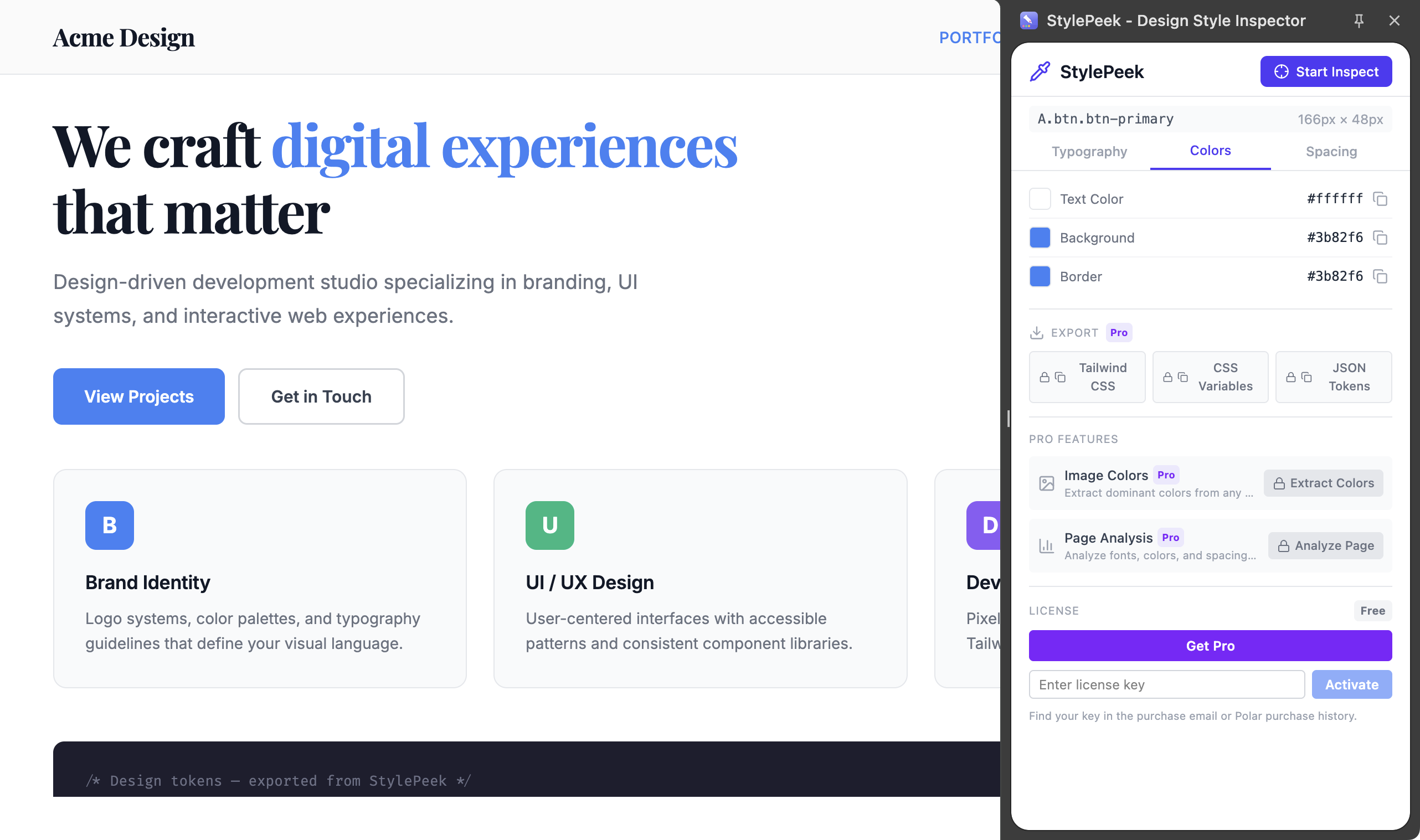
Color values extracted from a live page — hex codes with preview swatches for quick reference
What to Do with Extracted Tokens
Once you have tokens, the practical uses depend on your role:
- Designers: Import into Figma as styles or variables. Use them as the foundation for a component library.
- Developers: Drop the JSON or CSS custom properties into your project. Reference token names instead of hardcoded values.
- Marketers and content creators: Use the exact brand colors and fonts in presentations, social media templates, and email designs — no more guessing hex codes from screenshots.
The key insight is that every website already has implicit tokens — they are just embedded in the CSS rather than named and organized. Extracting them makes the implicit explicit, turning a website’s visual DNA into something you can document, share, and reuse.
The Bottom Line
Design tokens are not a complex technical concept. They are named variables for visual values — colors, fonts, spacing — that make design decisions reusable and changeable from a single source. You do not need to build a token system from scratch; you can extract tokens from any existing website with browser extensions or CLI tools, and use them to match brands, audit consistency, or hand off precise values to developers.
Inspect and export design values: StylePeek inspects fonts, colors, and spacing in a persistent side panel. Pro exports styles as Tailwind CSS, CSS custom properties, or JSON design tokens.
Found this guide helpful? Leave a review on the Chrome Web Store — it helps other designers find the tool.
Questions or feedback? Reach out at [email protected].